Bulk Video Post Creator

Easily create multiple video posts at once and attract mass views to monetize your website

"This is the perfect tool to publish mass posts quickly and gain lots of traffic from social media!"

With this WordPress plugin, a website owner who needs high traffic on a daily basis to gain sales, can quickly and easily create multiple relative posts of videos sourced from Youtube and many other publicly served video providers, then share those posts across social media groups and stay relative, and gain massive traffic flow.

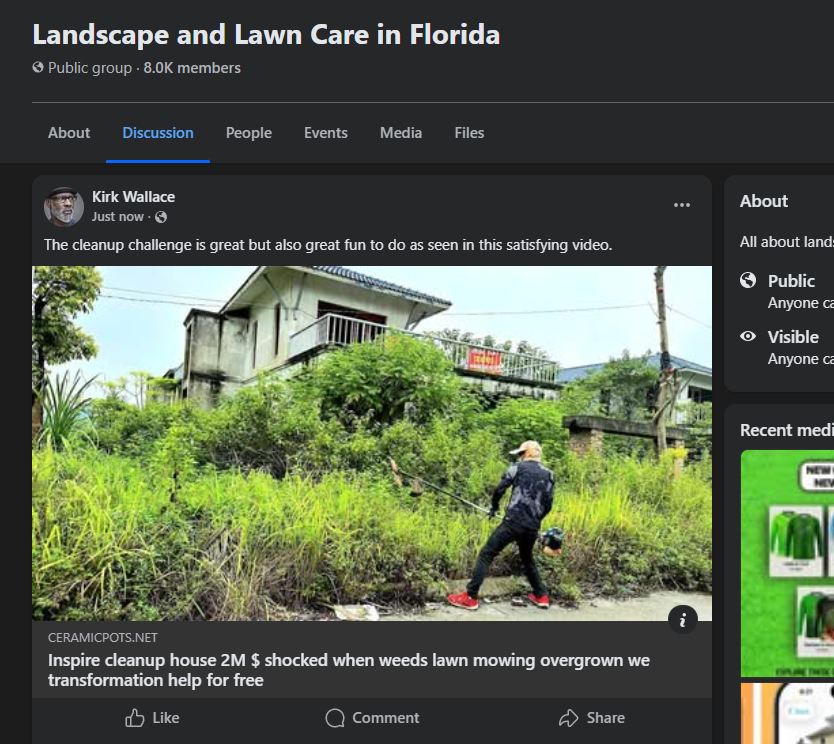
The great productive value of this tool is that it allows the user to publish multiple video pages based on any topic at once, with the goal of distributing to social media spaces, primarily Facebook groups, Reddit communities, Twitter and any other which allows external link posting. Therefore attracting thousands of visitors to a site which sells ceramic pots.

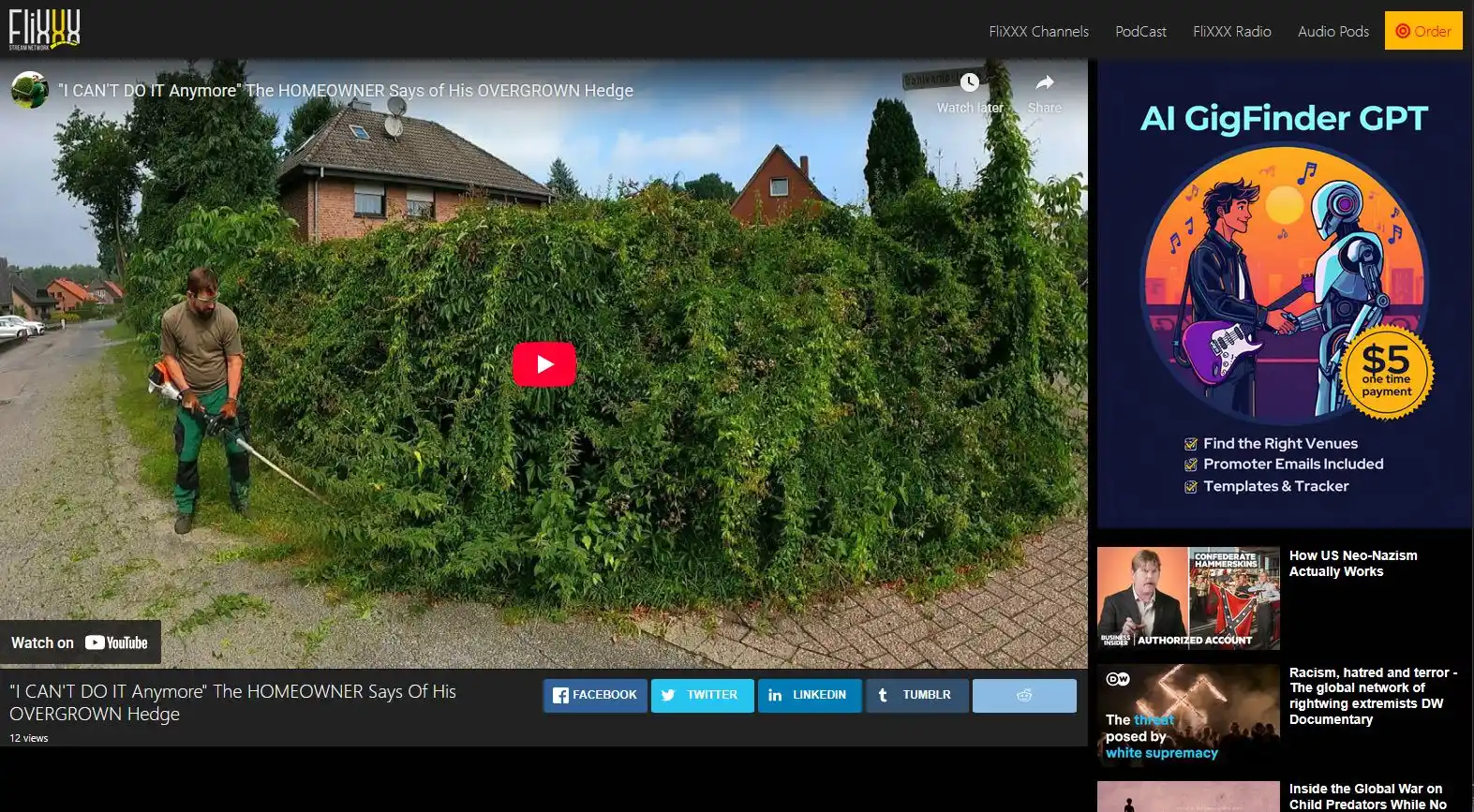
The multiple viewers who came from a group about landscaping to watch a video titled "satisfying landscaping" will see that video and many more relative landscaping types, along with ads for pots (or whatever the site sells) which are set in multiple positions, including atop the video.

Keeping visitors hooked at your website with multiple video posts will increase the chance of sale conversions.

Usage scenario

You recognize that you can attract high traffic to your website by posting at social media groups but the posts must be in context of the group's purpose.

You see a group with 200k members and high activity but they are focused on "landscaping in Florida" and your site sells window tint. You know a post off topic will not be approved and your blog has not had any new post for 14 months 'cos it's just a tedious process. So what to do?

With this plugin you can quickly pop over to YouTube, search for "landscaping skills" videos, grab a few URLs, and quickly publish 5 posts, no effort. Now you return to the group and submit very relative posts.

The 2,956 visitors who will come to your site within an hour, will watch the video, stick around to see the other 4, and be exposed to your window tint advertisements.  

This is how it works

Create an arbitrary category which will not be in the main menu list. It's purpose is just a storage of random video page content for social media distribution.

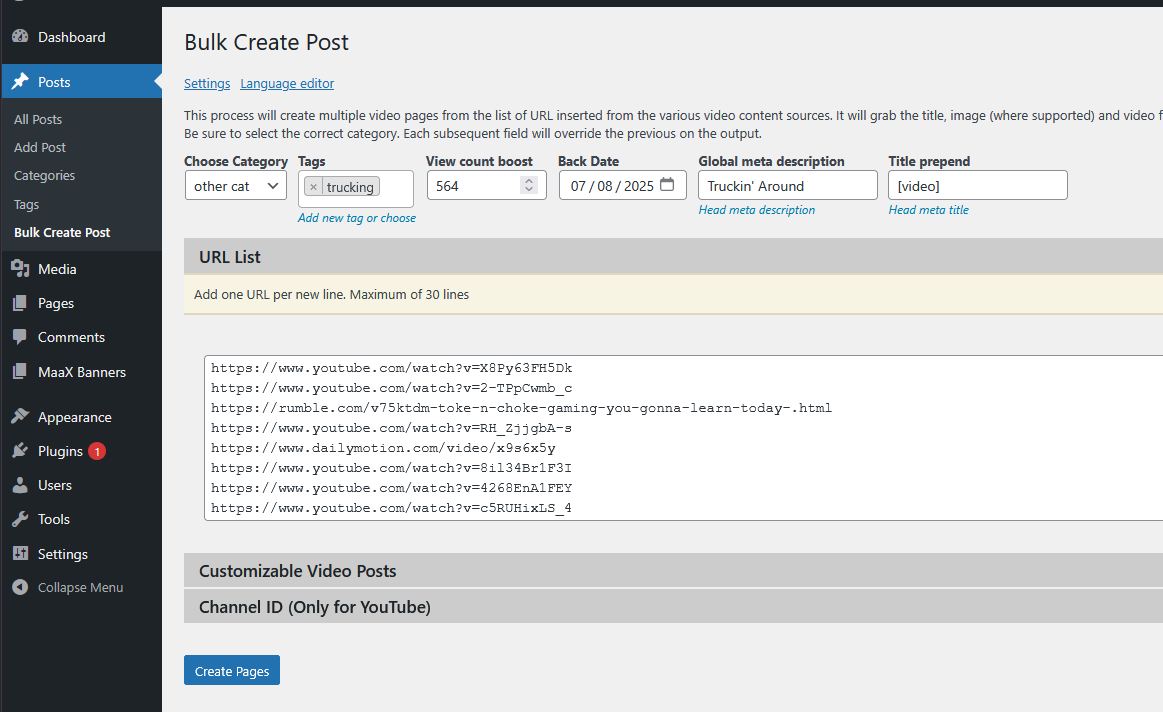
Insert multiple URLs from Youtube, Rumble, DailyMotion, Vimeo, CNN, FOX, Facebook and more, and click the button to create post. Within a few seconds the website will have loads of new content.

URL List Method

Manually search Youtube for intriguing videos and copy the URL of each. Paste each URL on new lines.

Youtube Channel ID Method

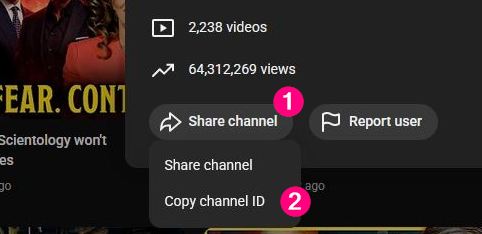
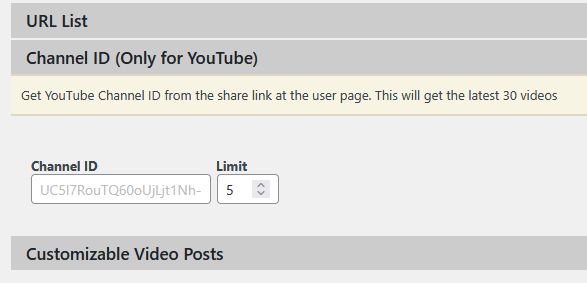
Insert a Youtube channel ID to grab the latest X count videos. The YT channel ID is located while viewing a channel's home page and viewing the "about" data.

Customizable Posts Method

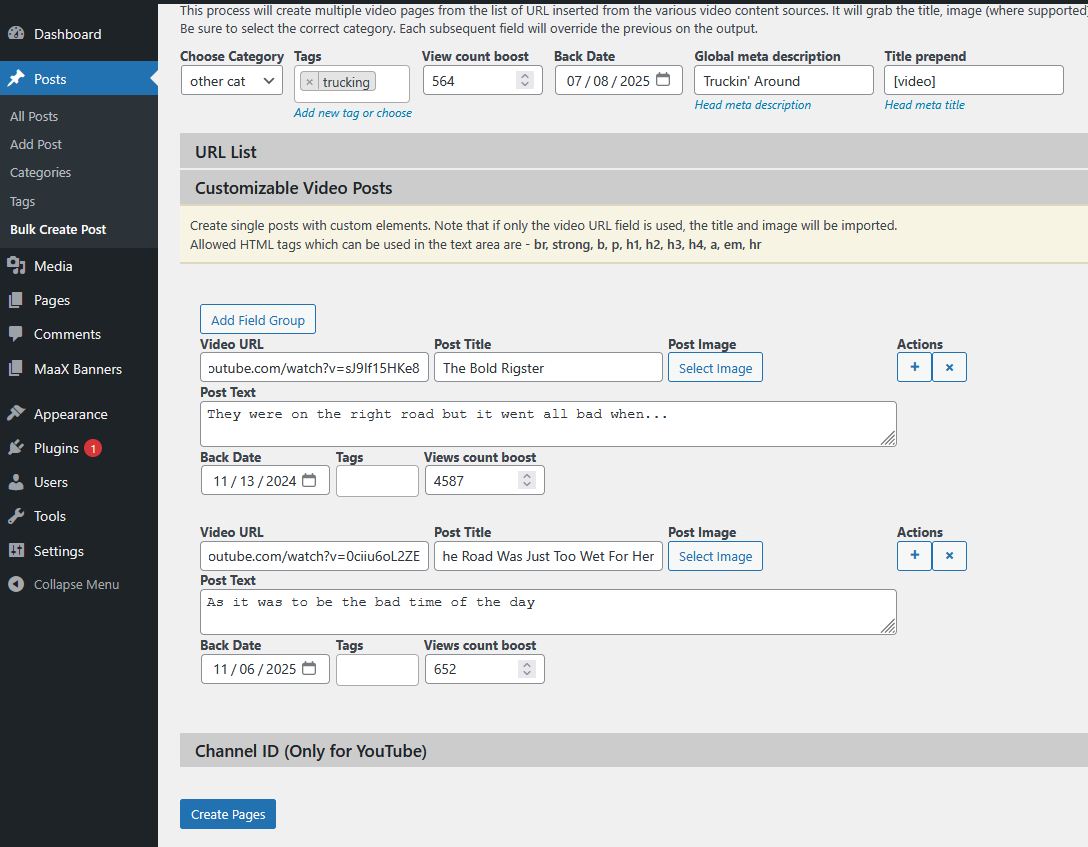
A method to add repeatable field groups to published video post with custom title, description content and image.

Video page display configuration

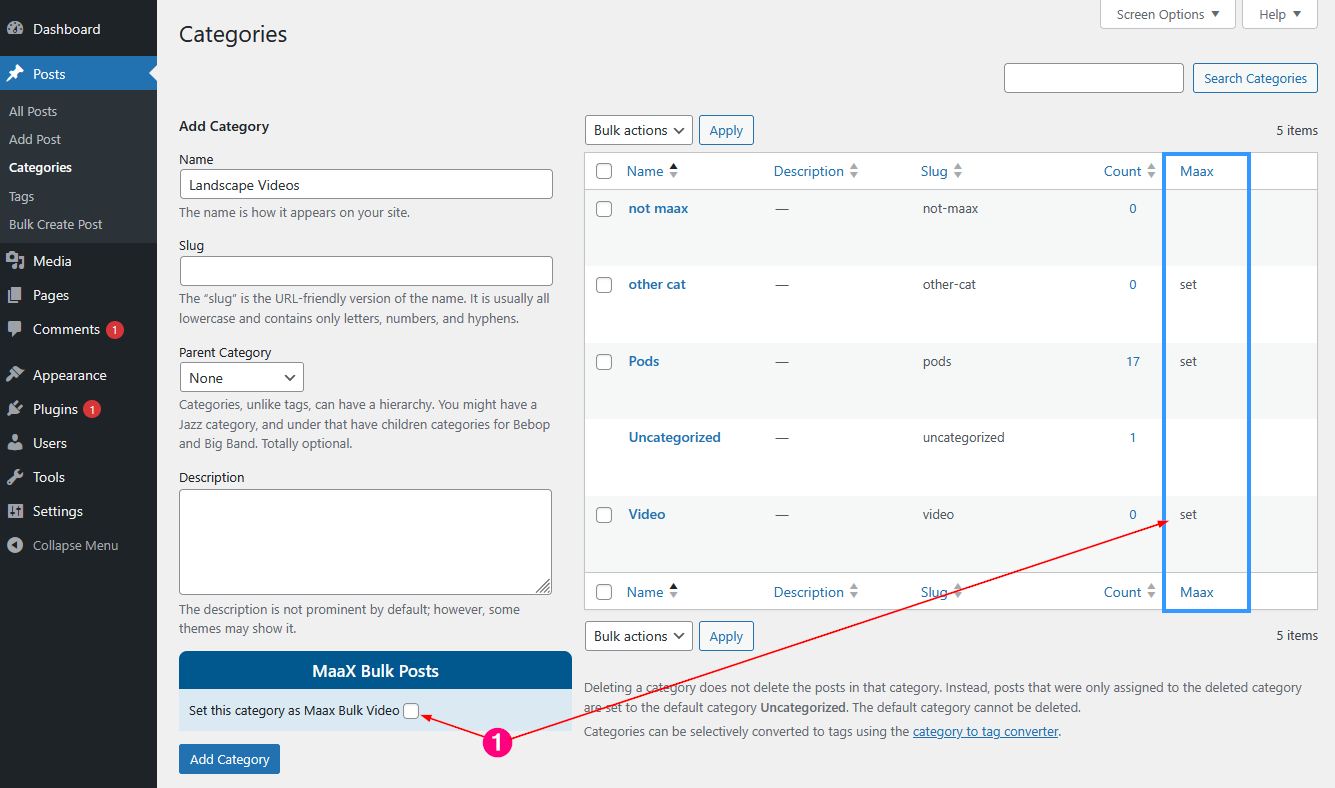
The plugin includes a specific and specially programmed template (not a theme) which defines the display format and styling of the video pages. Therefore each category which will be the storehouse of Maax bulk posts, must be registered as such by checking the field when creating. Each registered category will be indicated in the category list table.

Layout Formatting

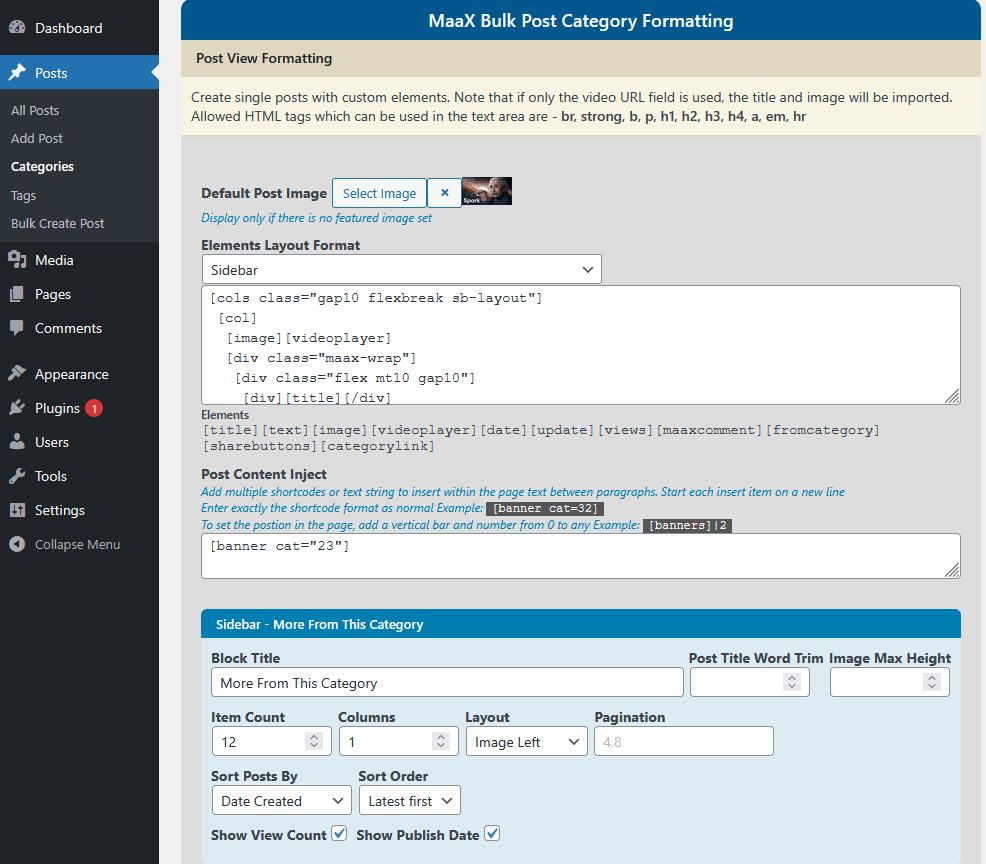
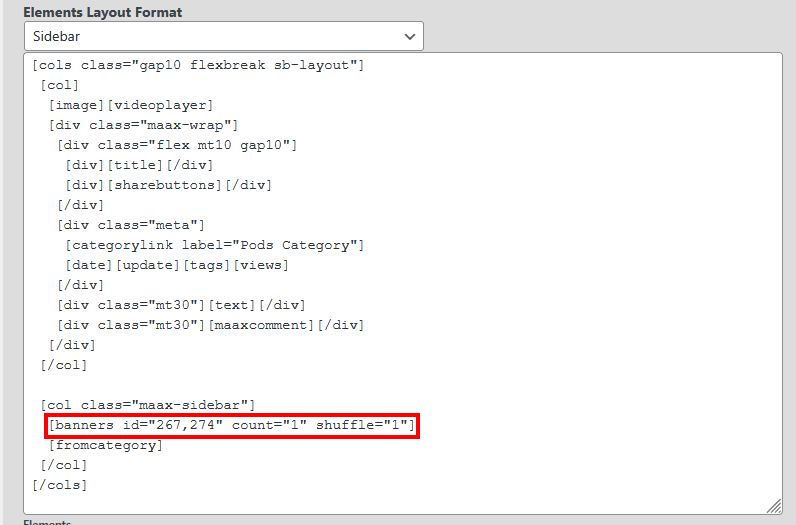
The plugin includes format and styling presets which can be selected. Each preset format can easily be edited to suit a custom preference.

While the element place holders are not based in visual editing, arranging them is very intuitive, just like the good ol shortcode placement.

Selecting a layout option will also set the sidebar values, and these values can be changed as needed.

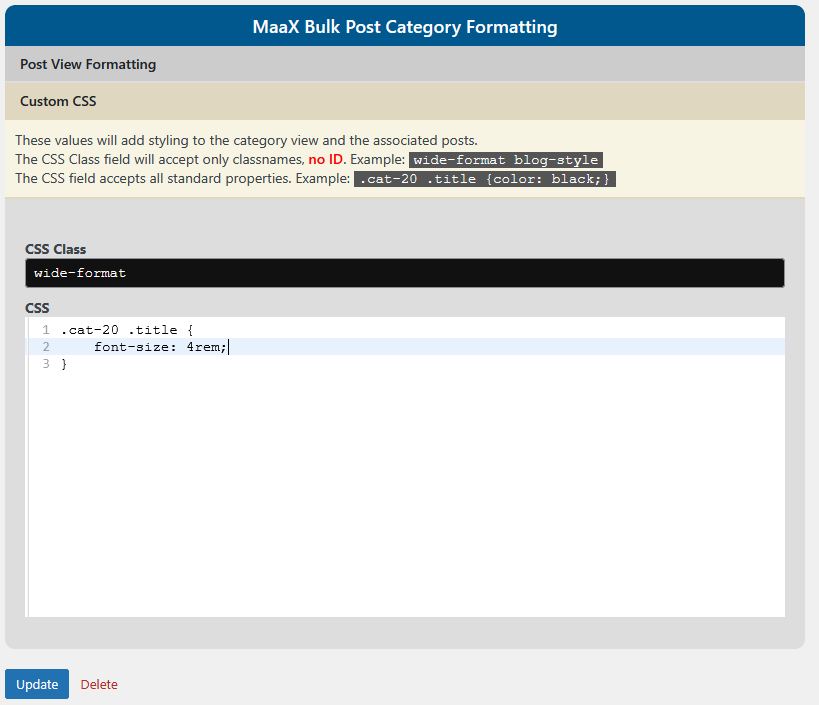
Custom Styling Via CSS

Each category is created with a css class added to the <body> tag and therefore can be targeted to set styling properties.

The class format is cat-ID where ID is the numerical value ID of the category.

Banner Manager

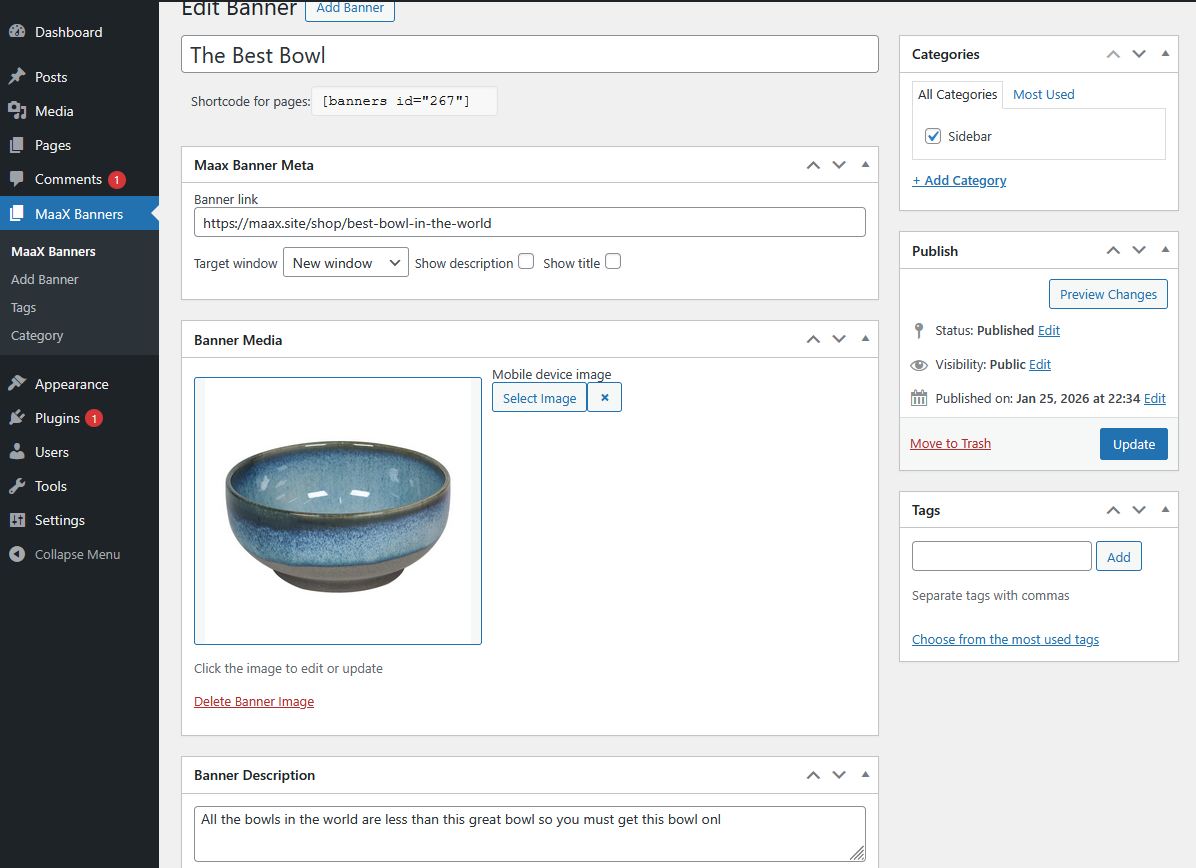
The plugin includes an advertisement banner manager to create ads which will serve the prime purpose of the video posts: that is to expose your products and services to the mass of viewers.

A simple shortcode is generated when the banner is created, and that shortcode is placed within the category page display configuration. The banner can be placed in multiple positions on the page to nag the viewer at every angle.

An additional benefit of the banner manager shortcode is that it can be used anywhere in your WordPress publishing.

The shortcode format

Attributes

  • ID - enter single or multiple item ID, separated by commas
  • COUNT - set the value for how many items are displayed at once
  • SHUFFLE - enable the random item display per page load
  • CAT - enter a single category ID to show all items it contains
  • COL - set the column count value when multiple items are displayed
  • FORMAT - used when multiple items are displayed. Options are grid or masonry 
  • CLASS - a css style class which is added to the container.
  • LABEL - a centered small text to indicate that the media is an advertisement EG: "sponsors"


Display specific items by ID

[ banners id="55"]
[ banners id="74,67,45" count="1" shuffle="1"]

Display all items from a category

[ banners cat="23" count="1" shuffle="1" class="my-ads"]

--OR--

All payment transactions are processed securely by PayPal™ an EBAY™ company. No credit card details are seen or stored by Maax.site or parent company Emuzement Net Inc.

Details

  • Version 1.2.7 - Feb 2026
  • Min PHP 7.4
  • Min WordPress 4
  • Tested on WP 6.9+
  • Tested with Plugin Check (PCP) *no critical errors or security vulnerabilities
  • Blocks compatible
  • Not listed at WordPress repository by choice

Privacy

Any data submitted is solely for user management and is never shared with any third party or affiliates.

All monetary transactions are processed securely by PayPal. No card information is seen or stored by Maax.site, Emuzement Net Inc.

Cart
Checkout

Notice: ob_end_flush(): failed to send buffer of zlib output compression (0) in /home/maaxsite/public_html/wp-includes/functions.php on line 5481