Introduction
These guides will show exactly what you need to get the content published, styled and formatted as desired.
Standard Controls
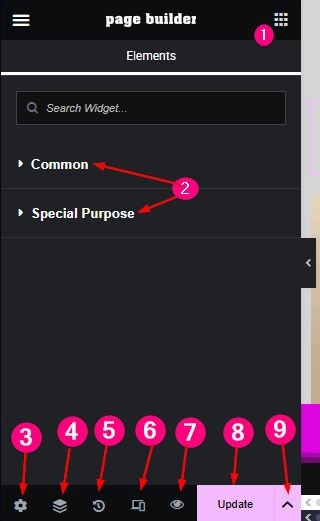
- Click this icon to open the list of media display widgets
- Tabs containing the widgets. Click to open or close. The Common set is always opened by default.
- Click to change various settings of the page. Including password reset, logout, notes.
- Open and close the layer navigator.
- View the history to undo various changes.
- Open the mobile view to set values for small screen width.
- Preview the page.
- Save any change. This will highlight in pink when any change is made.
- Open the template save function.
Layer Navigator
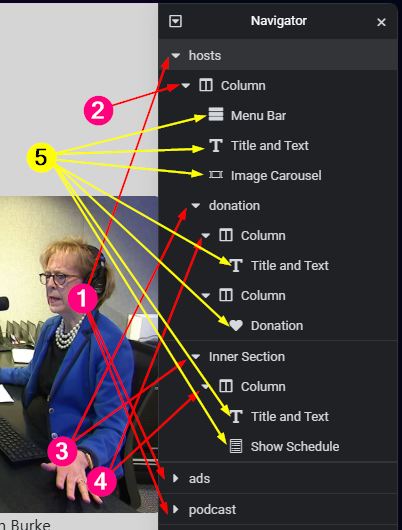
- Parent sections. These are the top level containers.
- The sub container of parents.
- The inner section to create columns. This is a widget which can be added.
- Inner columns of inner sections.
- Media elements which are inserted to columns.